To join the MHCC club on Ride with GPS (rwgps), first you create a rwgps username. Even a free basic username will work. Then contact me (fkelly12054@gmail.com), tell me your rwgps username and I'll send you a link. Most people taking this class live will already be members. One of the advantages of the club area is that even free basic usernames in rwgps can use the Print to PDF capabilities when they are on the club page. Using that requires a paid membership elsewhere on rwgps.
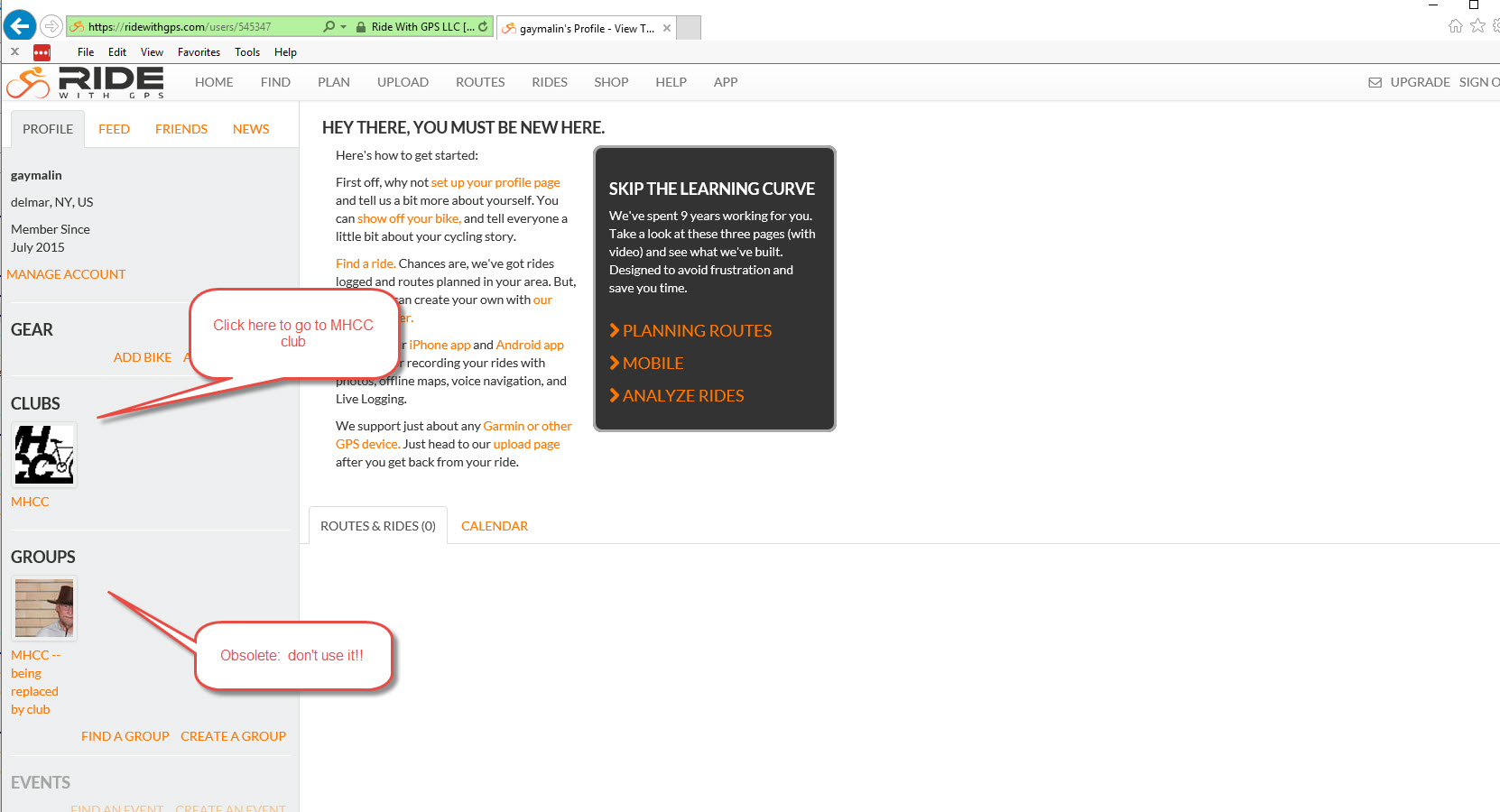
Once you have joined the MHCC club page on Ride with GPS (rwgps), you can access it whenever you sign on by going to home/ profile and clicking on the club link as shown here:
When you come to the club page, you should see something like this:
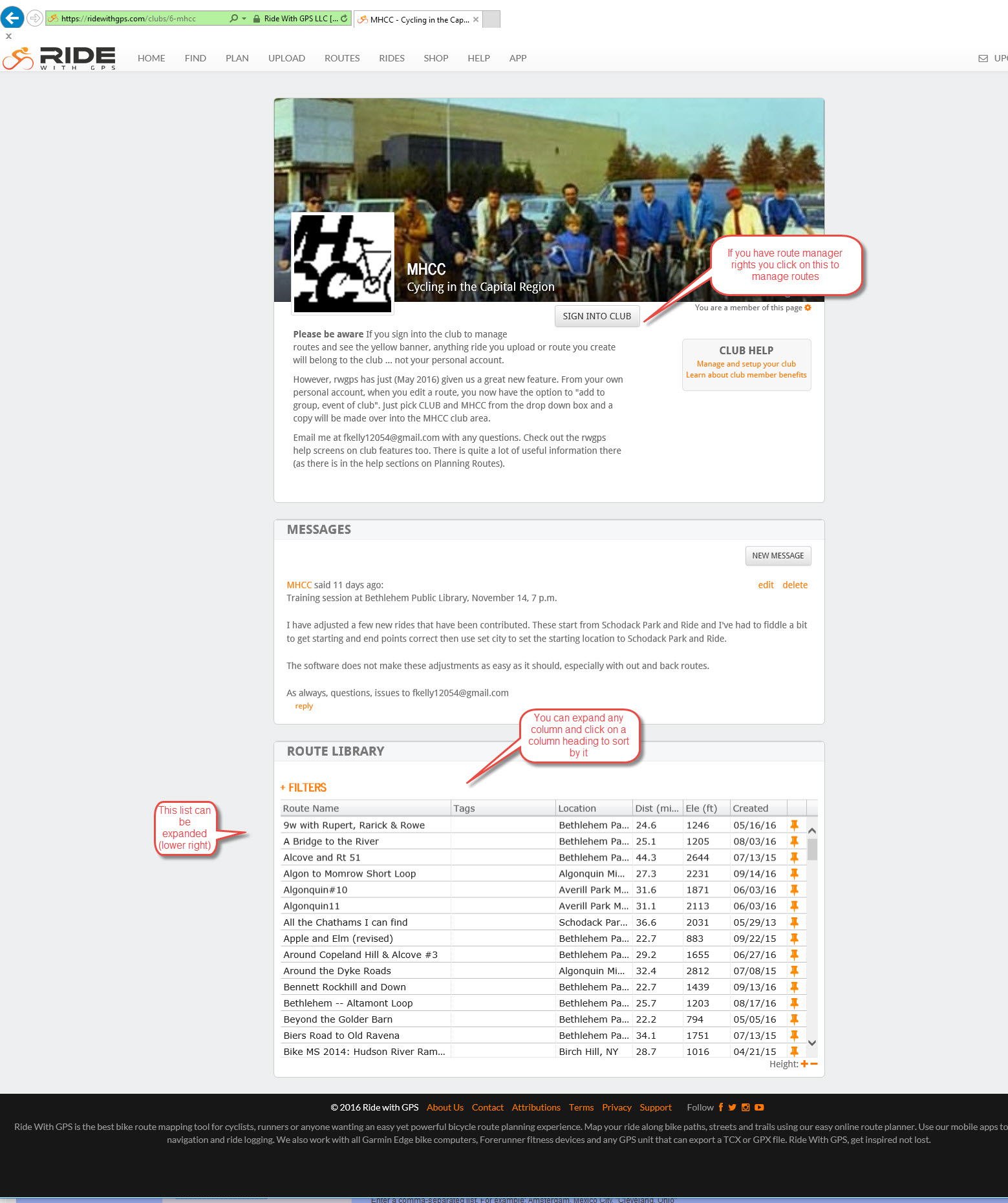
If you are just trying to access a route, for instance to print it out for a cue sheet -- map combination, just click on the route name. Or scroll down to see more routes. If you have route manager rights and want to edit or add routes, click on the "sign into club" button. The top menu bar of the screen will turn yellow, indicating that you are now managing routes. This yellow indicator is key ... if you see it you are editing routes in the club area. If you don't, you aren't.
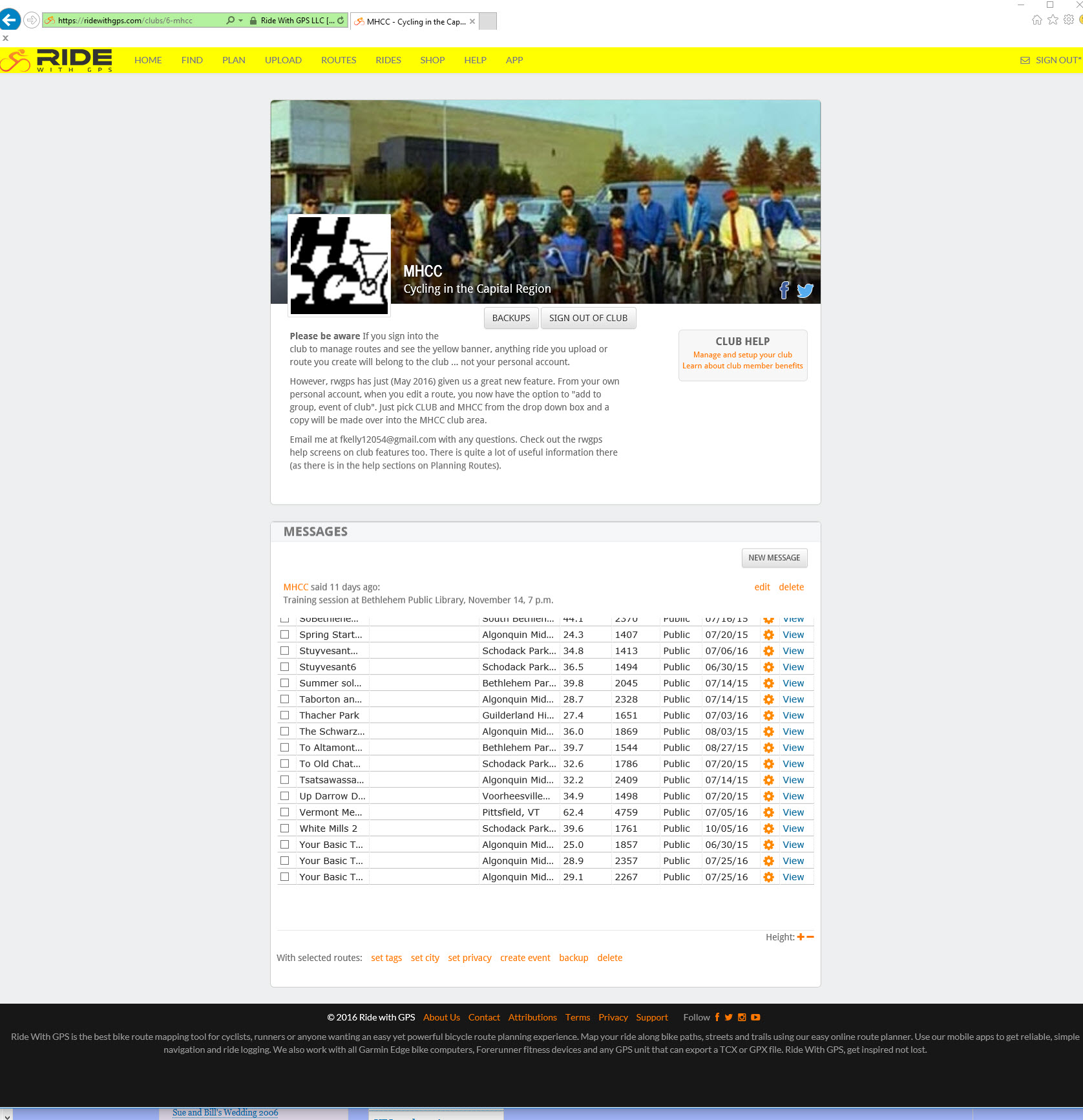
My screen capture software truncated the list of routes a bit. Route management exposes some new functions. For instance, you can select one or more routes by clicking on the check box on the left of each line.
One important function in the club area is "set city". If you select a route and click set city, you will get a chance to rename the starting location to something useful. Rwgps, by default when you create or edit a route, sets the starting location to a generic name such as "Albany County". If you want to make it meaningful and precise, such as Bethlehem Park and Ride, you need to use set city. If you edit the route further, it will undo this so you'll need to do set city again. This is an annoyance that I've talked to the developers about but they are hemmed in by the routing engine software they use and we have no timeline for getting it fixed.
To edit a route, click on view, then when the route comes up, click on edit in the right side. Apply your edits, save it, and go run set city again. Important: if you are changing a route, please fill out the description field in the save dialogue so others know what you are doing and why. You can also save any route you edit with a new name using save as new. This creates an altered copy.
Now a word to the wise. RWGPS software does not maintain very sophisticated revision information about routes ... who created them in the first place, who modified them, when and why. Everyone who is a route manager with the club can edit any route. The description field, mentioned above, helps a bit but only if we all use it. No one "owns" any route ... all route managers own them all. So ... if you modify a route that you didn't create in the first place please attempt to coordinate with whoever created it or check with the club coordinator (right now: me, Frank Kelly). Or save the modified version under a new name using save as new. And please remember, one of the primary purposes of the club area is for creation and storage of validated correct routes. So double and triple check anything you create or modify. Ask another club member who knows the area to run through your cue sheet listing. It's awfully easy to make a mistake and send a group of riders off on a wild goose chase, or worse.